Welcome to Plunk Studio
What Studio makes
Section titled “What Studio makes”- Images. Your product in a new fabric, finish or color, clean catalog photos, every angle of a product, lifestyle scenes and ready-to-upload marketplace sets.
- Rooms. Draw a room to size, place your products at their real size and render the room as one photograph.
- Video. Short product videos (turntable, details, lifestyle, social ads) and longer videos you build from a storyboard, with a timeline and clip editor.
- Review and share. Every result waits in Review for a person to approve it. Then you send it to a client board, your library, Shopify or your own storage.
- Visualizers. Let shoppers see your pieces in any fabric, or build their own sectional, on your website or an in-store display.
Plunk Commerce includes Plunk Studio, so if your workspace has Commerce you already have everything here.
How Studio is laid out
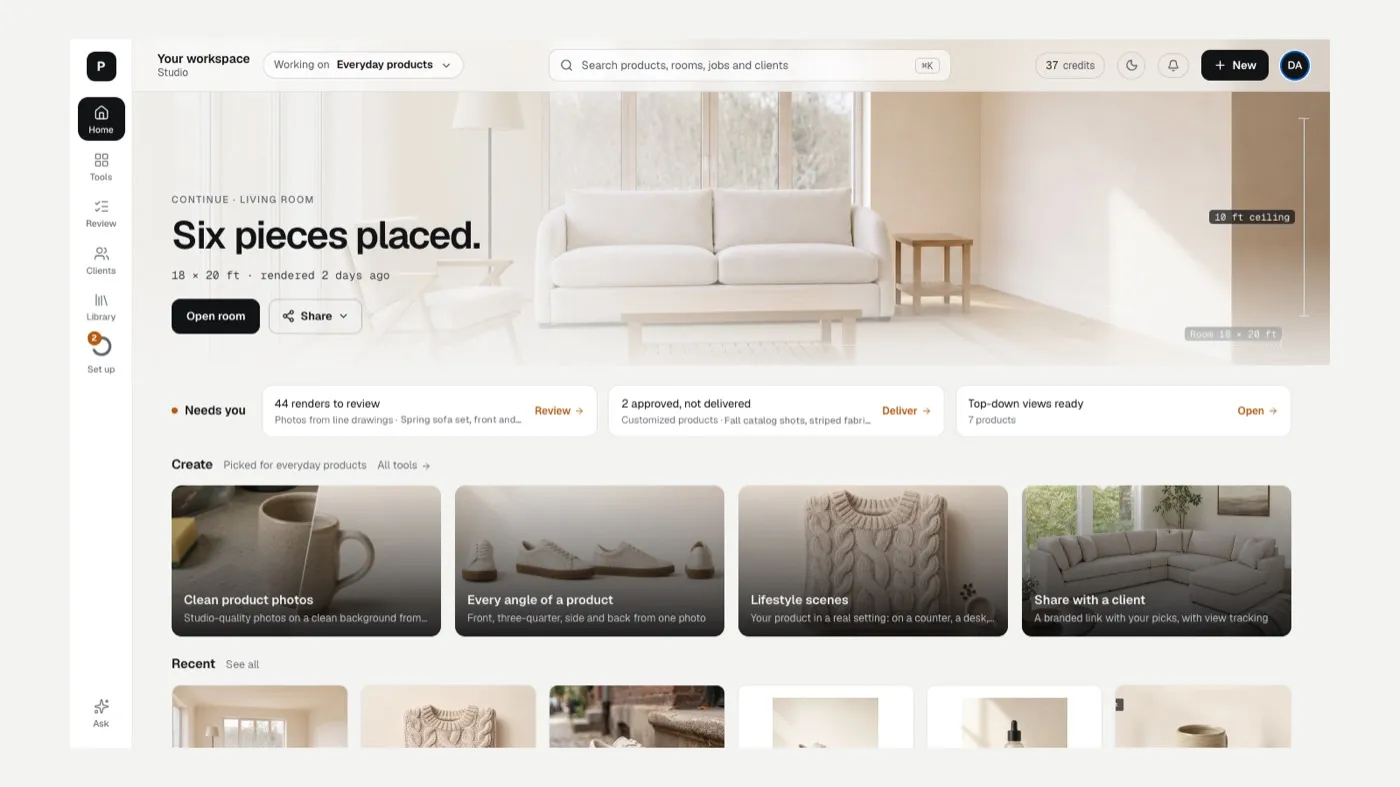
Section titled “How Studio is laid out”The rail on the left has Home, Tools, Review, Clients and Library, plus Set up while you finish your checklist and Ask at the bottom. The bar across the top has the Working on chip, search, your credit balance, notifications, + New and your profile.
Home is where you start each day:
- The big card picks up your last project (a room, a Customize session) so you can carry on.
- Needs you lists what is waiting on you: renders to review, approved work not yet delivered, client changes, fabric requests and work still being made.
- Create shows four tools picked for the category you’re working on.
- Recent shows what you made lately.
Tools by kind of business
Section titled “Tools by kind of business”Studio puts the tools that fit your business first. Nothing is locked: every tool stays available under Tools › All tools.
| Working on | Tools Home puts first |
|---|---|
| Home furnishings | Customize a product, Rooms, Photos from drawings, Build a sectional |
| Interior design | Plan a room, Mood board, Restyle a room, Client presentation |
| Stores and offices | Plan a space, Stage a space, Mood board, Share with a client |
| Fashion and apparel | Design a new piece, Colorways, Clean catalog photos, Every angle of a product |
| Everyday products | Clean product photos, Every angle of a product, Lifestyle scenes, Share with a client |
| Video and promos | Make a video, Product video, Social ad video, Every angle of a product |
To change this, see Tools, categories and search.
Get set up
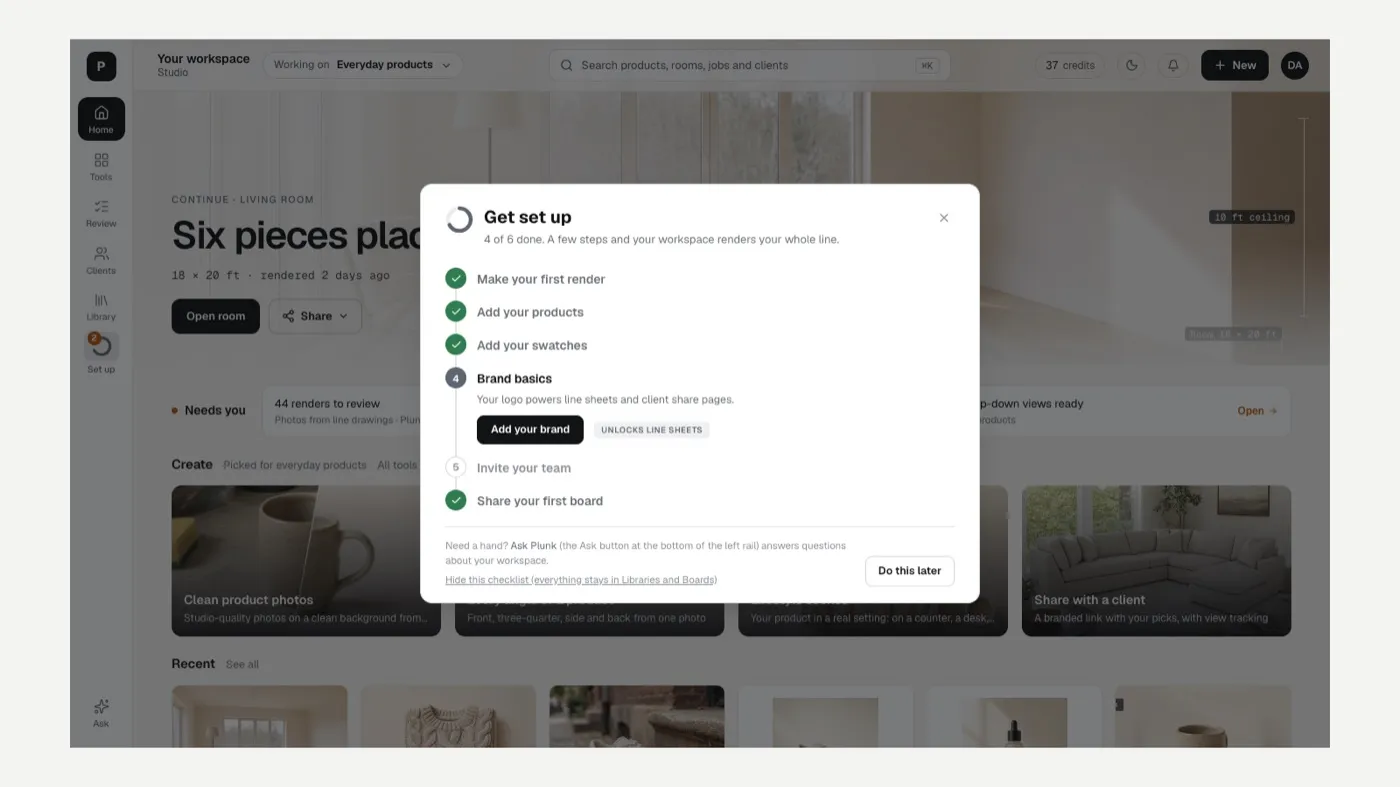
Section titled “Get set up”The Set up ring on the rail opens a short checklist: make your first render, add your products, add your swatches, set your brand basics, invite your team and share your first board. You can hide it any time.
Related
Section titled “Related”Still stuck? Contact support and include the job or page you were on.