Research a company or a market trend
Before you start
Section titled “Before you start”- Both apps are included in Plunk Commerce.
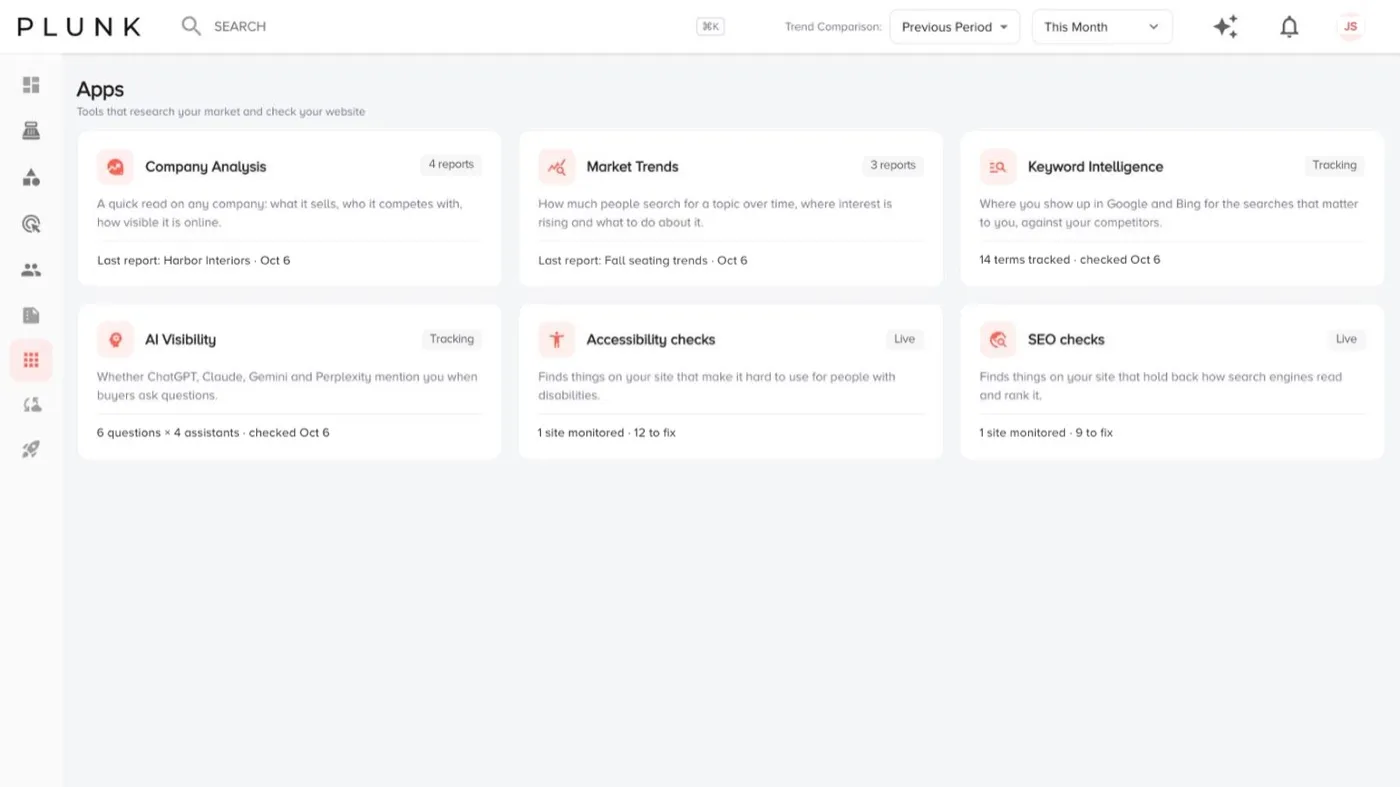
- You can see every app on the Apps page, each with its status.
Analyze a company
Section titled “Analyze a company”- Open Apps > Company Analysis and click Analyze a company.
- Enter the company website and name, plus focus markets and any competitors you already know.
- Click Run analysis. It takes 2 to 3 minutes.
- Open the analysis from the list to read what it sells, its competitors and how people talk about it.
Follow a market trend
Section titled “Follow a market trend”- Open Apps > Market Trends and click New trend report.
- Enter a term, product or category, a location (United States by default) and a time window (the last 12 months, the last 5 years, the last 90 days or a custom range).
- Run it. It takes 1 to 2 minutes.
- Open the report to see search interest over time, where it’s heading and what to do about it.
If something looks off
Section titled “If something looks off”- An analysis is still running after a few minutes. Leave the page and come back. It keeps running.
- A trend shows little data. Try a broader term or a longer time window.
Related
Section titled “Related”Was this helpful?
Still stuck? Contact support and include the job or page you were on.