Track campaigns and build a flight
Before you start
Section titled “Before you start”- Campaigns run across every major ad exchange: display, retargeting, search, social, YouTube, streaming TV (CTV / OTT) and social video.
- What you can do depends on how your workspace runs ads. If Plunk runs your campaigns for you, you see the Overview and Markets results and your Plunk team handles launches and targeting changes. Ad spend and cost figures don’t show in that case.
- Connect the site tracker so campaign visits and conversions are measured. See Install the site tracker.
Read your results
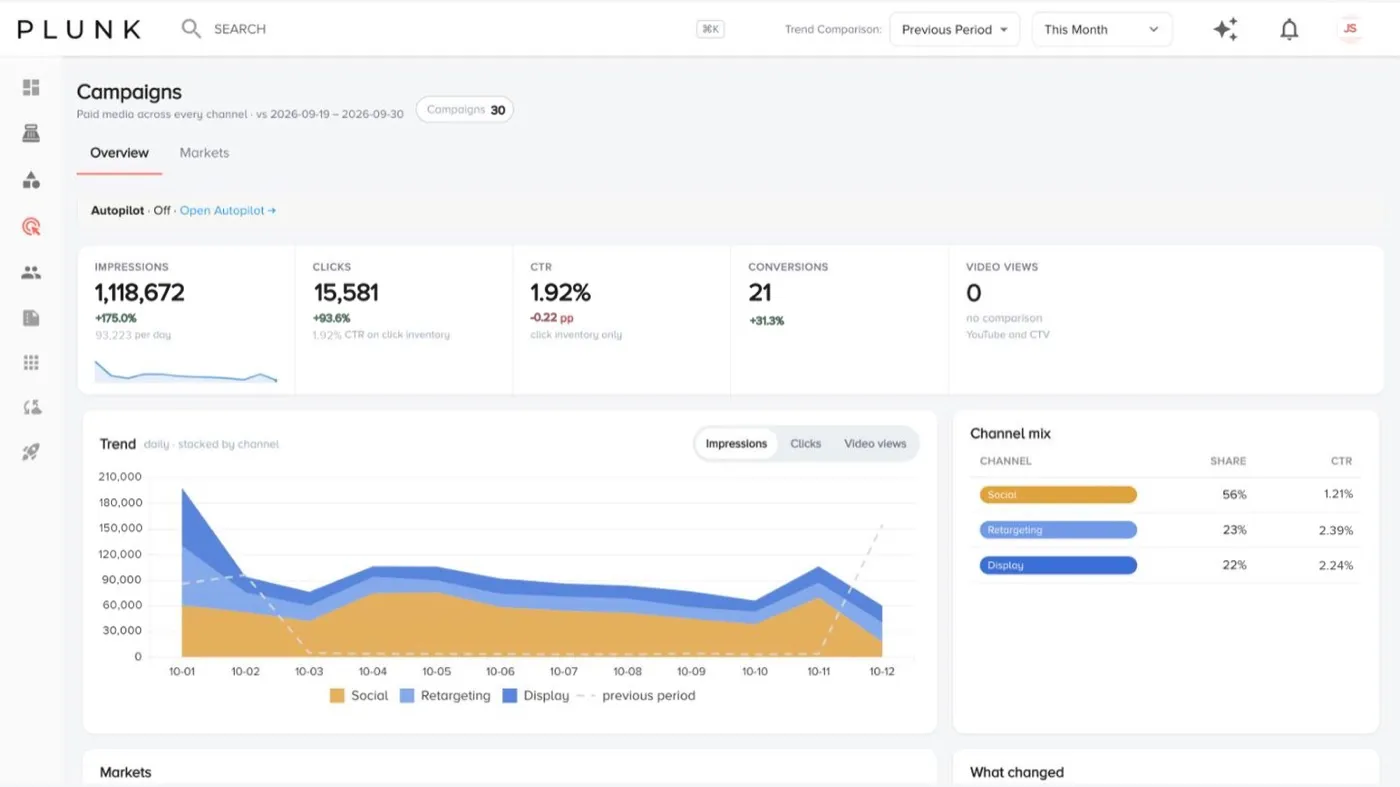
Section titled “Read your results”- Open Marketing > Campaigns. The Overview shows impressions, clicks, CTR and conversions, a daily trend by channel, the channel mix, a map of markets, what changed and your top campaigns.
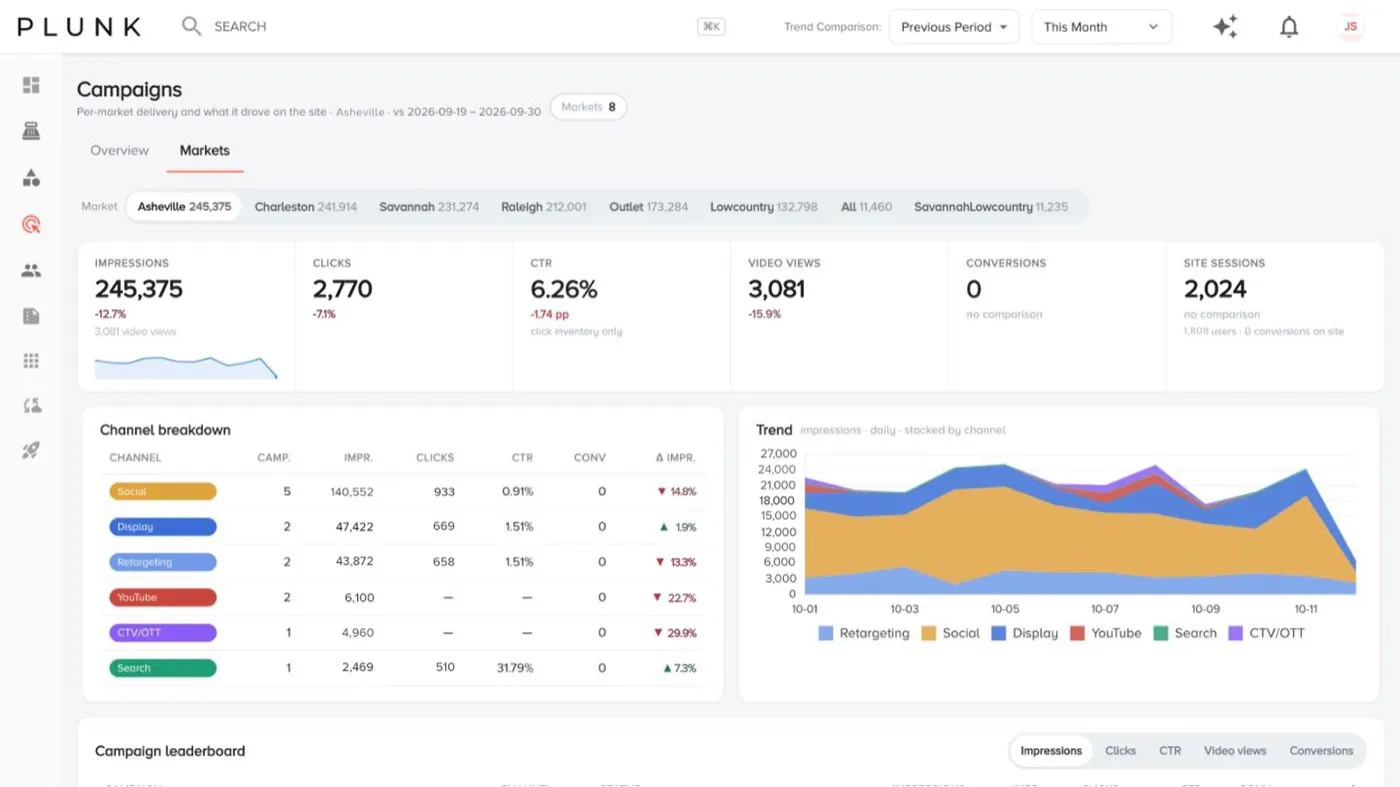
- Open Markets and pick a market. You see delivery by channel, the trend, a campaign leaderboard and What people did on the site after they clicked.
- Open a campaign to see its daily performance, targeting and the content it used.
Build a flight
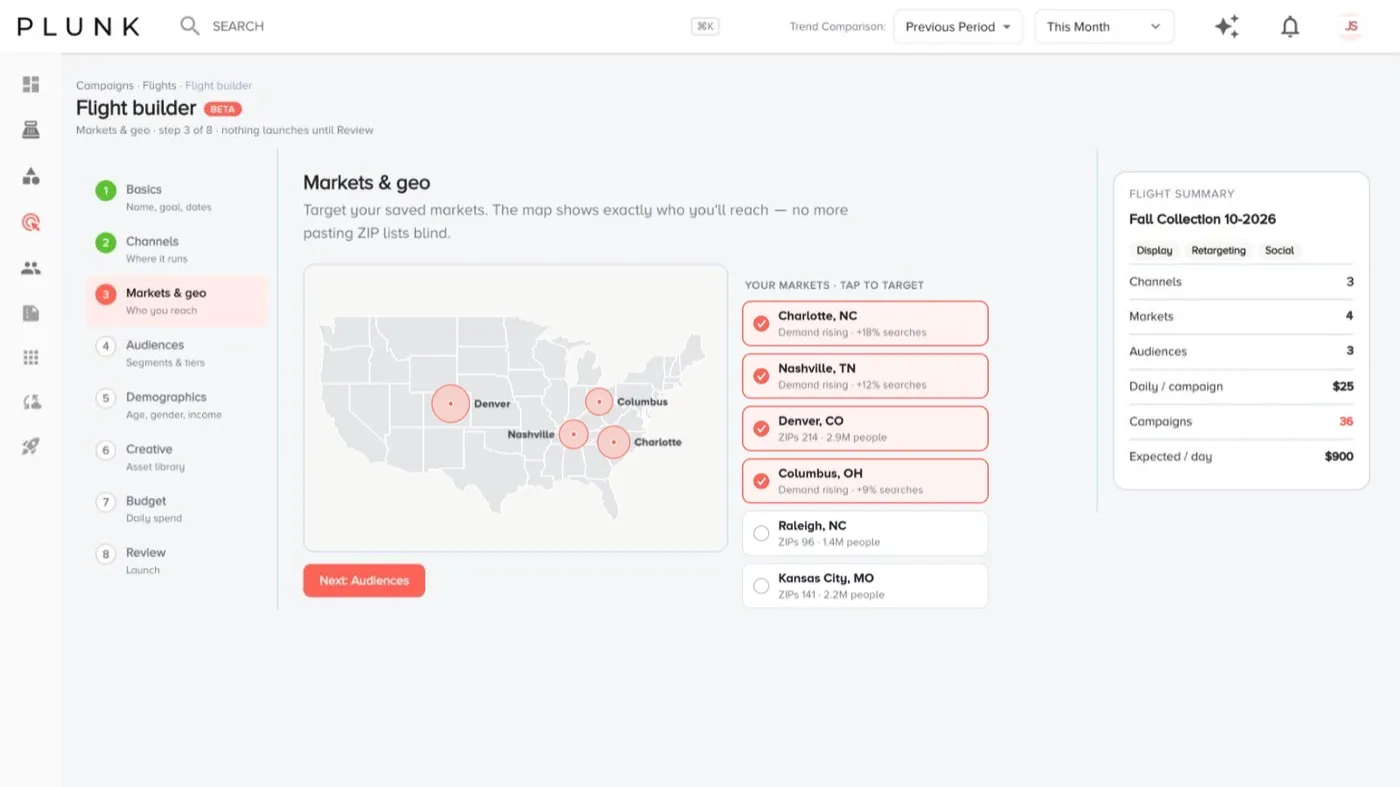
Section titled “Build a flight”A flight is a set of campaigns that run together across channels and markets. The Flight builder has eight steps and nothing launches until Review.
- Basics: name the flight, add the landing page URL and pick start and end dates.
- Channels: choose where it runs.
- Markets & geo: choose who you reach, for example the markets where demand is rising.
- Audiences: pick segments and tiers, or Add a custom audience.
- Demographics: age, gender, income and language.
- Creative: add assets for each channel from your library. More than one set lets you A/B test.
- Budget: set the daily budget per campaign and pacing (Standard (even) or Accelerated).
- Review: click Run validation, fix anything it flags, then Launch flight.
To change a live flight, open it and click Edit in builder, or Pause flight to stop it.
If something looks off
Section titled “If something looks off”- A campaign shows no delivery. New campaigns can take a day or two to start. Check the flight page for a failed campaign and click Retry.
- Visits from ads look low. Your landing page needs the site tracker. See The tracker isn’t recording visits
- Numbers differ from the ad platform. Check the date range. See Why do my numbers look wrong?
Related
Section titled “Related”Was this helpful?
Still stuck? Contact support and include the job or page you were on.