Use the Sales cockpit
Before you start
Section titled “Before you start”- The Sales cockpit needs your sales feed. Rep and coverage views also need rep codes on your sales or customer feed and your territories. See Connect your data.
- Owners, administrators and members with sales access see it. Only owners and administrators see Targets.
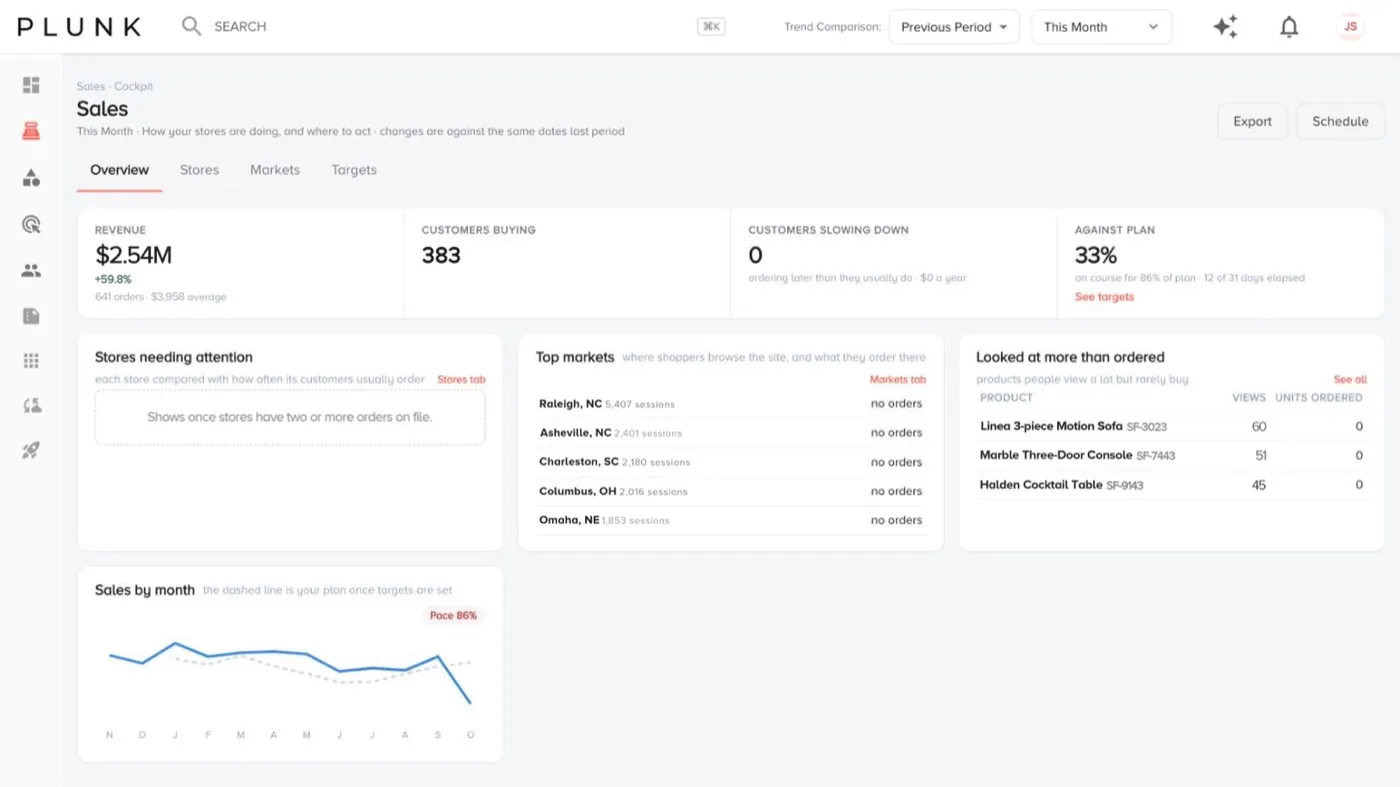
- In the retail view the tabs are Overview, Stores and Markets, and tiles talk about customers instead of dealers.
- Open Sales > Sales. Filter by order status if you only want, say, invoiced orders.
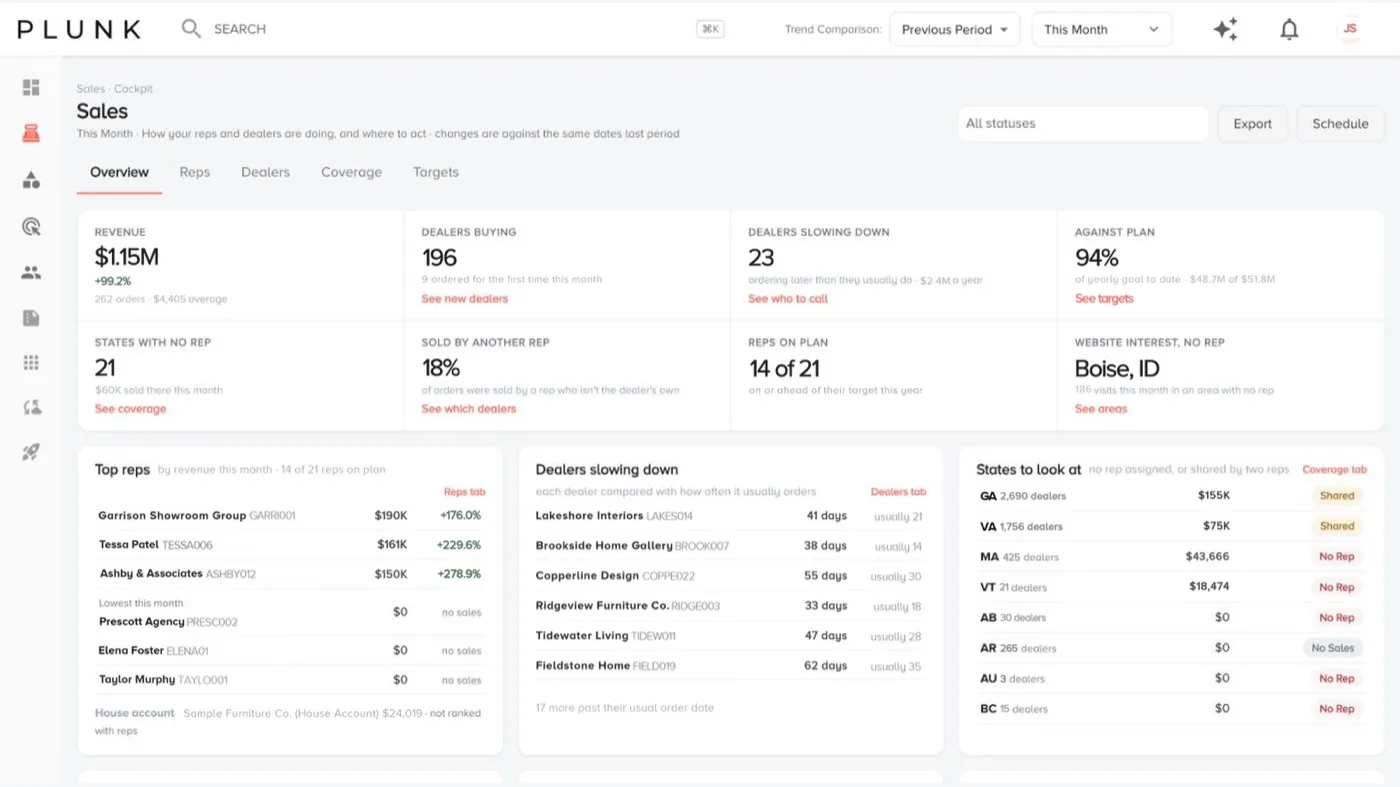
- Read the Overview tiles and follow their links:
- Dealers slowing down (ordering later than they usually do, with the yearly sales at stake): See who to call.
- Against plan: See targets, or Set targets if you have no plan yet.
- States with no rep: See coverage.
- Sold by another rep: the share of orders sold by a rep who isn’t the dealer’s own. See which dealers.
- Website interest, no rep: places where people look at your site but no rep covers them.
- Open Reps for rep scorecards: revenue, orders, dealers ordering, new dealers, progress to goal, pace and dealers slowing.
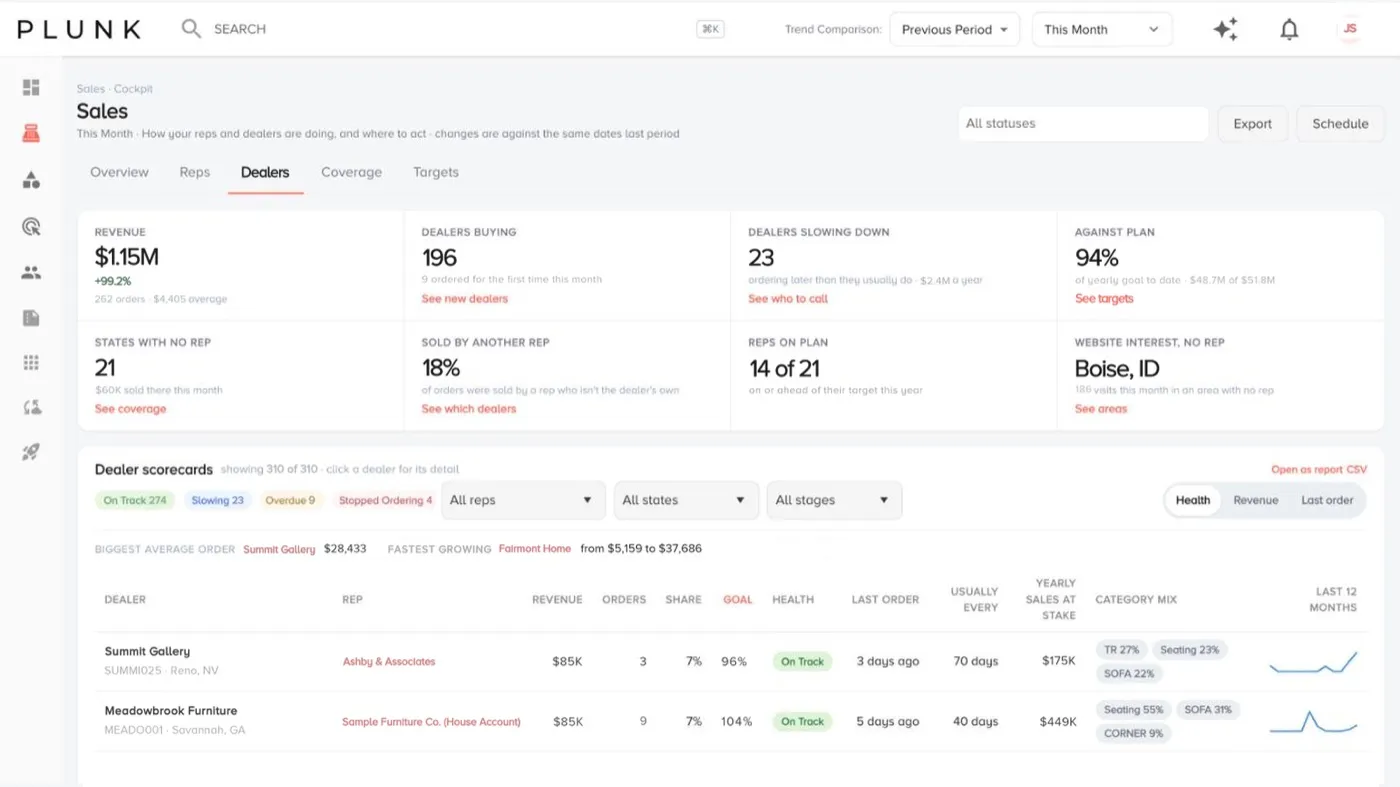
- Open Dealers for dealer scorecards: health, order rhythm (usually every), yearly sales at stake, progress to goal and category mix. Health is On track, Slowing, Overdue or Stopped ordering.
- Open Coverage for the coverage map and coverage by state.
- Click Export for a CSV, or Schedule to have it emailed.
In the retail view, the Overview shows revenue and customers buying against plan, top shopper markets and products people look at more than they order.
Set sales targets
Section titled “Set sales targets”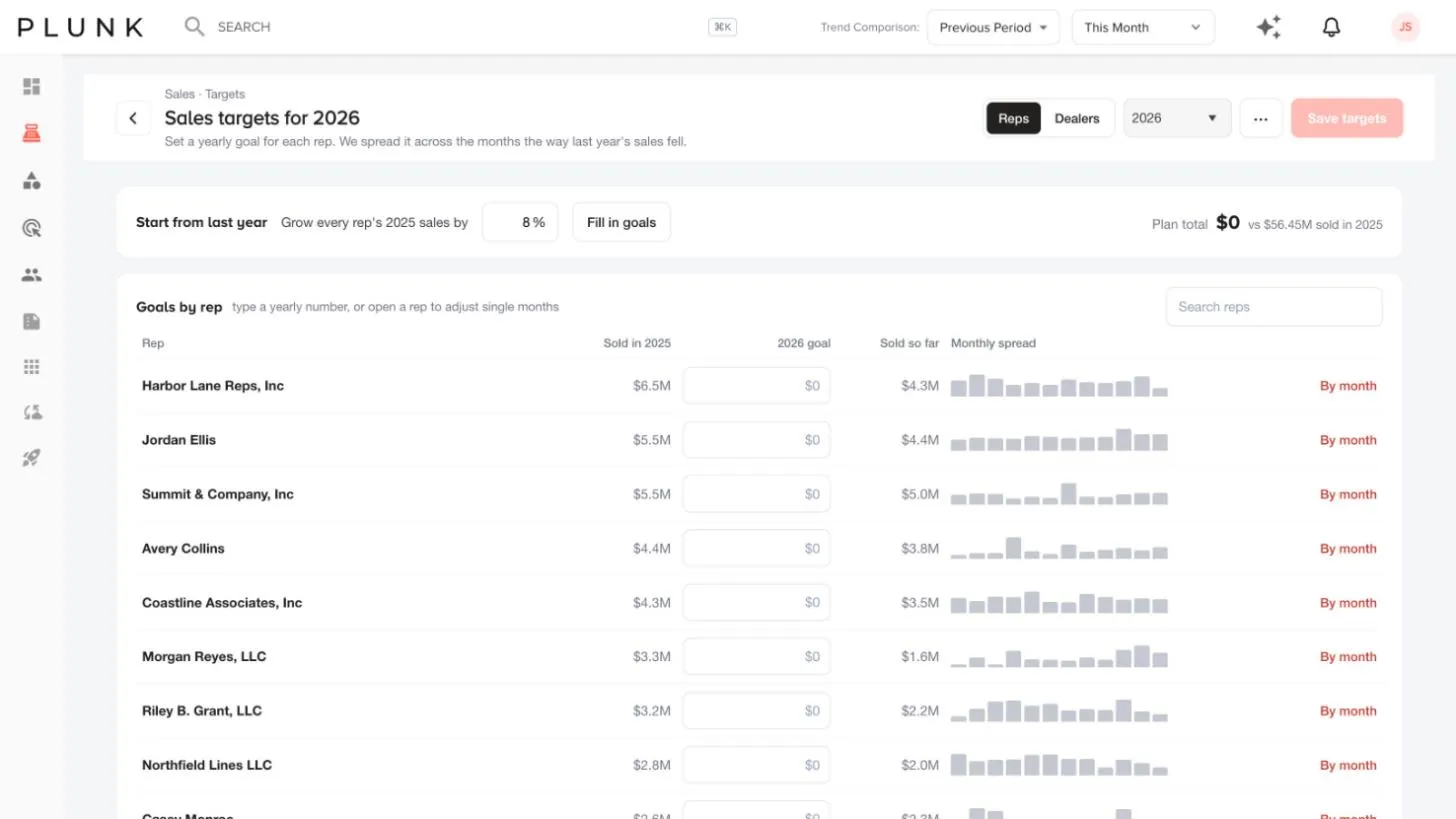
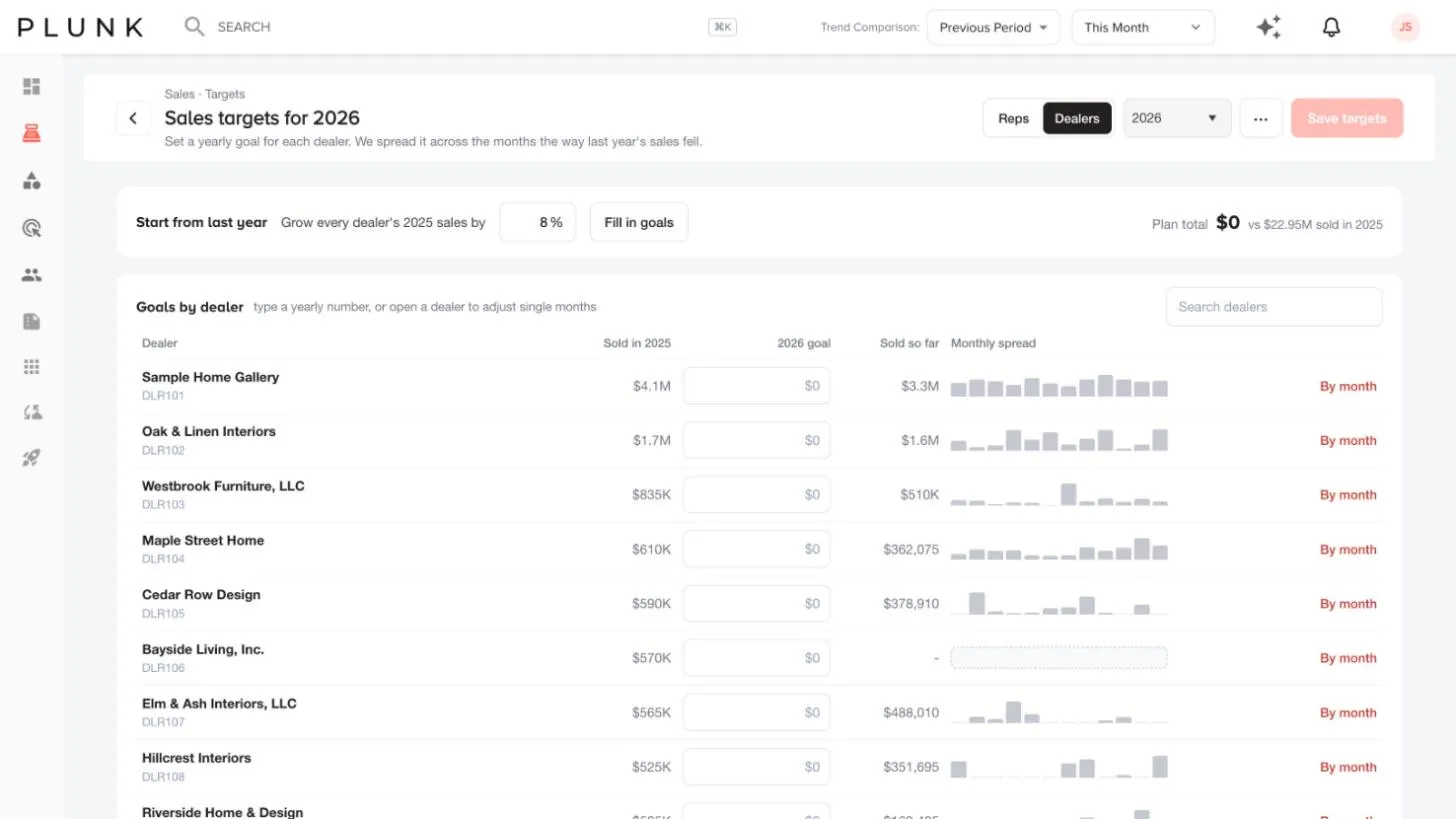
- Open the Targets tab and pick Reps or Dealers and the year.
- Use Start from last year: enter a growth percentage and click Fill in goals. Suggested goals show in yellow until you save.
- Adjust any goal, or click a row to spread it by month.
- Click Save targets. You can also import targets from a CSV from More.
House accounts are left out of the plan unless you click Add to plan.
If something looks off
Section titled “If something looks off”- A rep has no dealers or no sales. See A rep shows no dealers
- Totals don’t match your ERP. Check the date range and the order status filter. See Why do my numbers look wrong?
Related
Section titled “Related”Was this helpful?
Still stuck? Contact support and include the job or page you were on.