Forecast demand for your products and new designs
Before you start
Section titled “Before you start”- Product forecasts need at least two months of sales history. A year of history lets the forecast pick up seasonal patterns.
- Import your Google Analytics history so forecasts have website interest from day one. See Import GA4 history.
Forecast your products
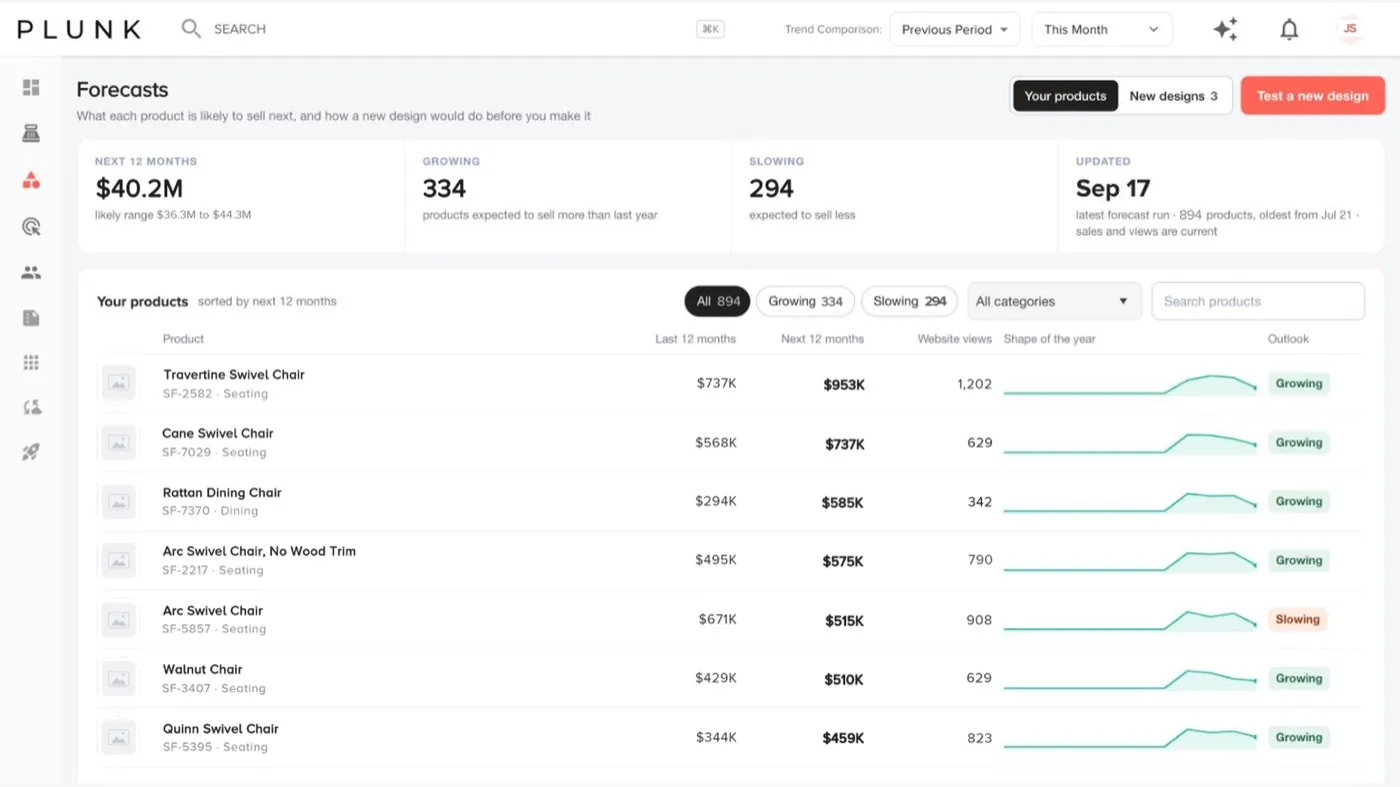
Section titled “Forecast your products”- Open Sales > Forecasts and pick Your products.
- Read the tiles: expected sales for the next 12 months with the likely range, how many products are growing and slowing, and when the forecast last ran.
- Filter with All, Growing or Slowing, a category or search.
- Read each row: last 12 months, next 12 months, website views, the shape of the year and the outlook (Growing, Steady, Slowing or No sales yet). Within 10% of last year counts as steady.
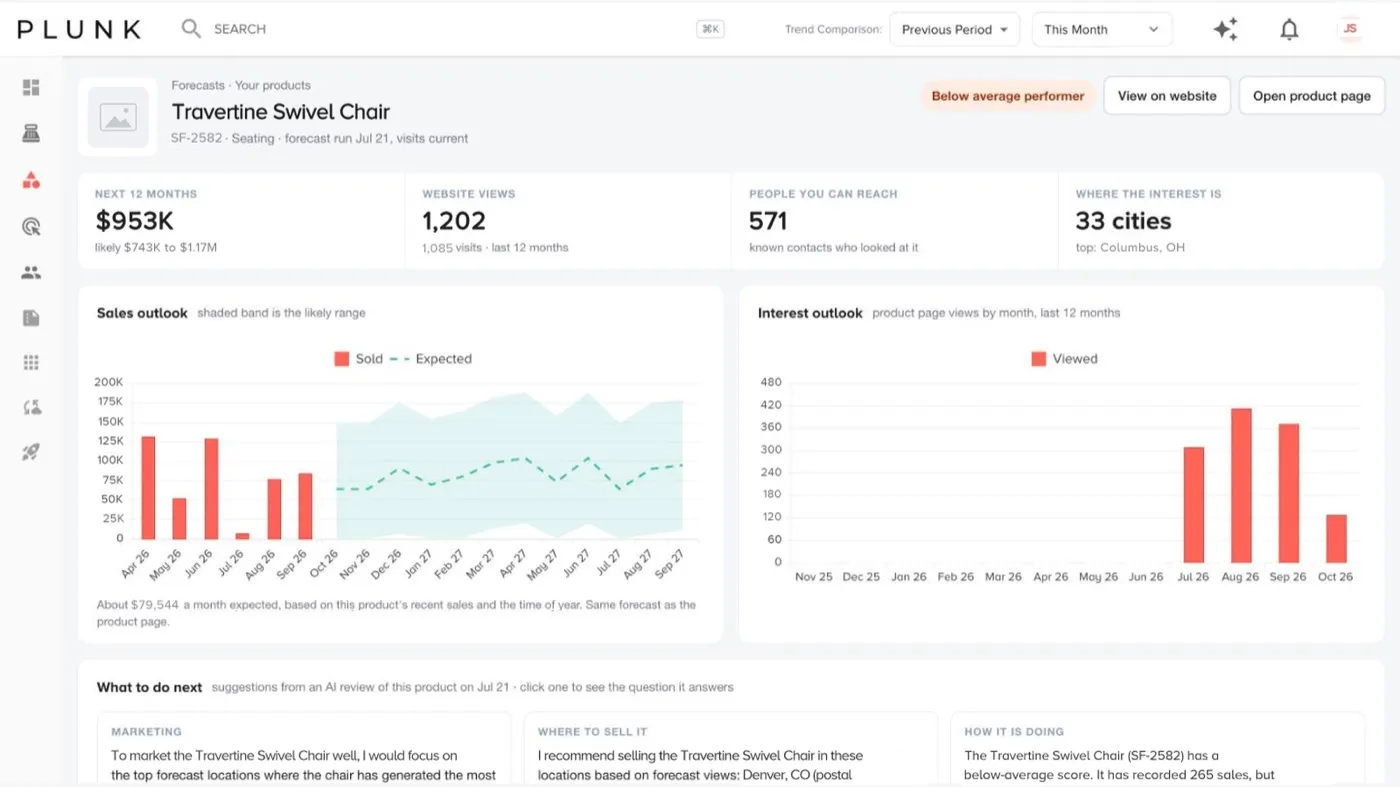
- Open a product to see the sales and interest outlook, where people are looking from, the people who looked at it, products that sell like it, a stock check and What to do next.
Test a new design
Section titled “Test a new design”- Click Test a new design.
- Describe the design: product name, category, and optionally a proposed price and notes.
- Upload a product image (JPG or PNG) and submit. The forecast usually takes 2 to 5 minutes.
- Open it from Tested designs when the status reads Complete. You see predicted units and interest for 12 months with a confidence level, top markets, the existing products it was compared with, a monthly forecast and recommendations for launch.
If a run stops, click Retry.
If something looks off
Section titled “If something looks off”- A product says Not enough sales yet. It needs a couple of months of sales before it can be forecast.
- A forecast looks too low after a big month. The outlook leans on the recent average and the time of year, so one unusual month moves it only a little.
- Numbers differ from Product Explorer. Check the date range. See Why do my numbers look wrong?
Related
Section titled “Related”Was this helpful?
Still stuck? Contact support and include the job or page you were on.