Check your site for accessibility and SEO problems
Before you start
Section titled “Before you start”- Both apps are included in Plunk Commerce.
- They check up to 50 public pages of your site once a day.
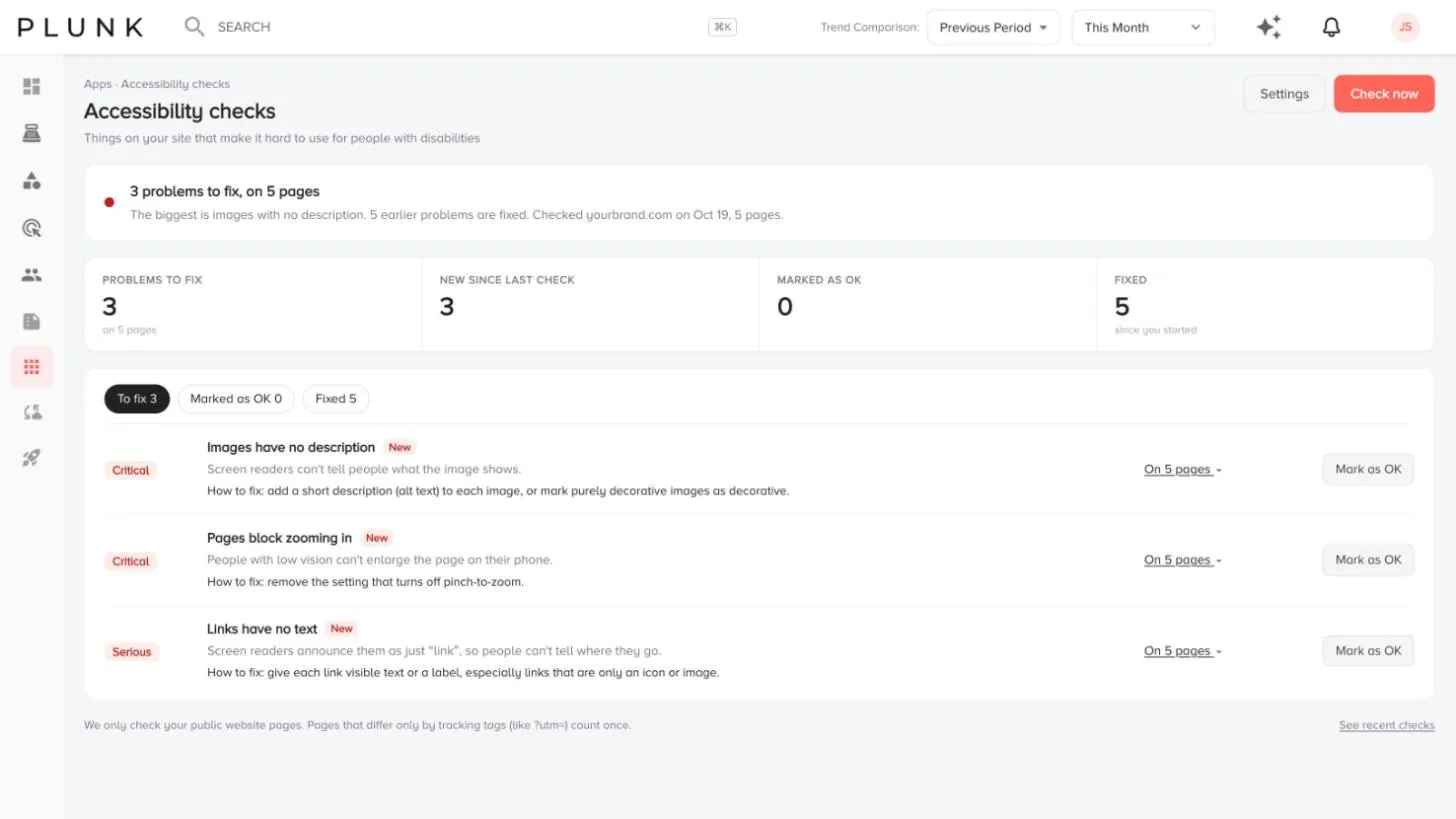
- Open Apps and click Accessibility checks (things that make your site hard to use for people with disabilities) or SEO checks (things that hold back how search engines read and rank it).
- Add your site. Click Settings, enter your site under Site to check and click Add site.
- Click Check now, or wait for the daily check.
- Read the tiles: problems to fix, new since last check, marked as OK and fixed.
- Work through To fix. Each problem shows how serious it is, what’s wrong and the pages it’s on. Use Learn more for how to fix it, or filter by Topic.
- Click Mark as OK for anything you’ve decided not to fix. It moves to Marked as OK, and Back to fix returns it.
Problems you fix move to Fixed after the next check.
If something looks off
Section titled “If something looks off”- It says Add your site to start checking. Add your site in Settings first.
- A fixed problem still shows. It clears after the next daily check, or click Check now.
Related
Section titled “Related”Was this helpful?
Still stuck? Contact support and include the job or page you were on.