Welcome to Plunk Commerce
What Plunk Commerce does
Section titled “What Plunk Commerce does”Plunk connects what people do on your website with what actually sells. Your catalog, sales history and customer lists arrive as feeds. Your website traffic arrives through the Plunk site tracker. Every screen joins the two, so you can see which products people look at, who buys them, where demand is growing and what to do next.
Plunk Commerce includes Plunk Studio, the storefront apps and the Customer API.
How the sidebar is organized
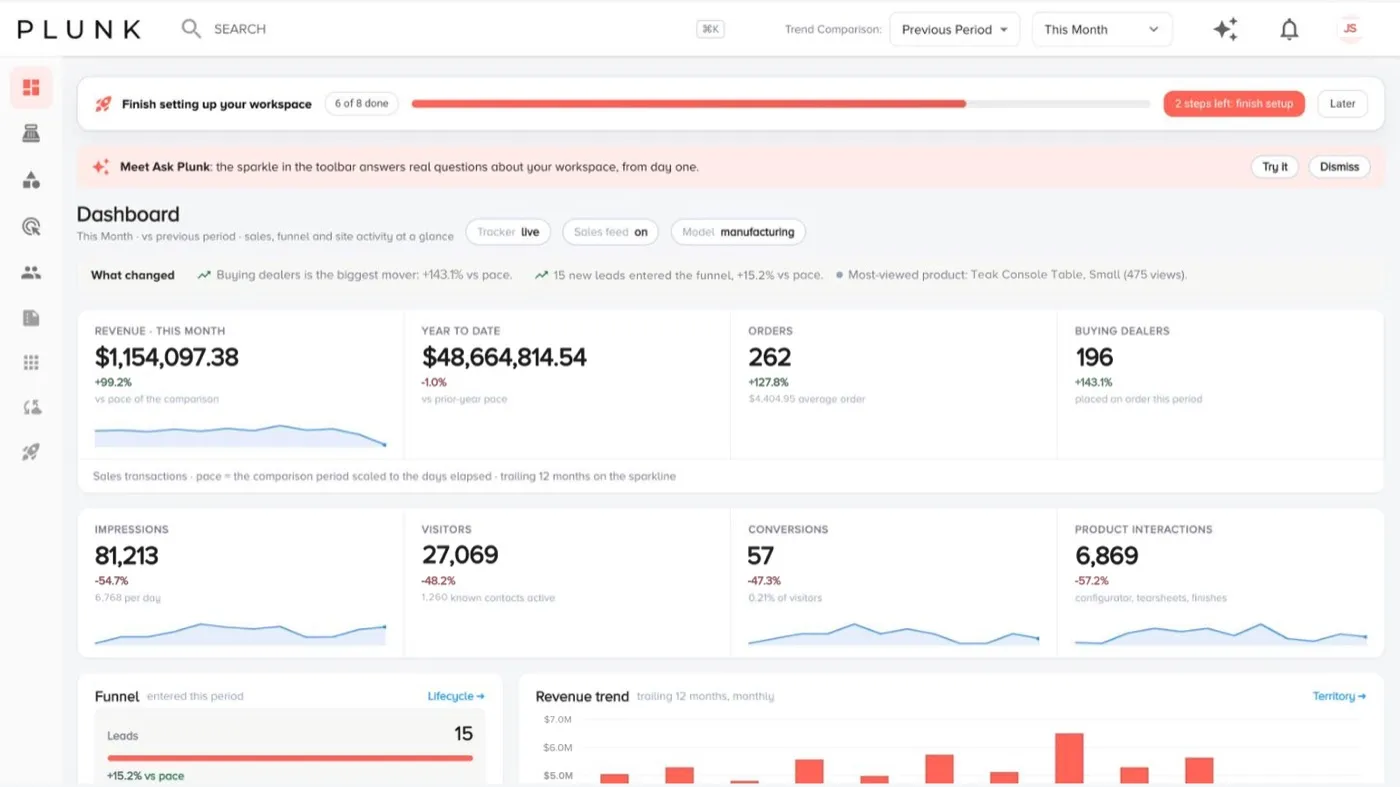
Section titled “How the sidebar is organized”The sidebar is a column of icons. Click a group icon to open its menu.
- Dashboard: the whole workspace on one screen.
- Sales: Sales, Territory & Reps or Stores, Quotes (when your workspace has it) and Forecasts.
- Products: the Product Explorer and, when you send inventory, the Inventory planner.
- Marketing: Autopilot, Market Intelligence, Website Analytics, Campaigns, Email and Content Hub.
- Customers: Contacts, Dealers (or Accounts), Lifecycle and Audiences.
- Reports, Apps and Manage Data sit at the bottom of the rail. Setup shows there too until the guided setup is finished.
The top bar holds search, the date range and trend comparison, Ask Plunk (the sparkle), notifications and your profile menu. The date range you pick follows you from screen to screen.
What you see also depends on your role. Owners and administrators see everything. Other members see the Sales and Marketing groups only when an owner gives them that access.
The two views
Section titled “The two views”Plunk sets your workspace up for the way you sell. You don’t switch views yourself; screens and labels follow your business model.
| Manufacturer view | Retail view | |
|---|---|---|
| Who you sell to | Retailers and other trade accounts, through reps | Shoppers, through your own stores and site |
| Sales group | Sales, Territory & Reps | Sales, Stores |
| Customers group | Dealers | Accounts |
| Built for | Rep coverage, dealer health, reorder rhythm | Store goals, shopper markets, what sells where |
If you sell both ways, you see both sets of screens, and pages that mix the two carry a channel toggle.
Where to go next
Section titled “Where to go next”- Connect your data with the guided setup.
- Install the site tracker so traffic and contacts start coming in.
- Read how data flows in so you know what powers each screen.
Related
Section titled “Related”Still stuck? Contact support and include the job or page you were on.